Peer-to-peer USDT trading
Chat. Trade.
Locked by escrow.
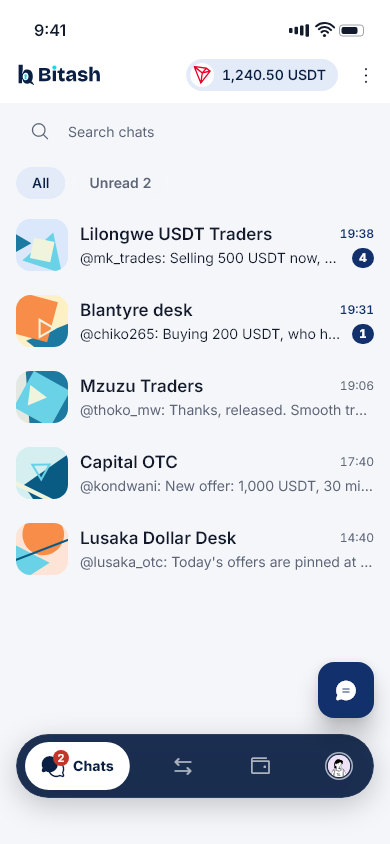
Bitash is a chat app for trading USDT with people you know. Agree a deal in your group, and the seller’s USDT is locked in a smart contract before you pay. It is released only when the seller confirms.
- Non-custodial
- Your keys never leave your phone
- On-chain escrow
- A smart contract on TRON holds the USDT
- Verified traders
- ID checks before anyone trades
How it works
A trade in four steps
Every trade follows the same path, and the trade room always shows which step you’re on and who it’s waiting for.
- 01
Find an offer
Traders post offers in their groups. Pick one that fits and open a private trade room with the seller.
- 02
The USDT is locked
The seller locks the USDT in escrow, a smart contract on TRON. Nobody can move it while the trade is open.
- 03
Pay the seller
Pay the seller directly, using the details in the trade room, then tap I’ve paid. Bitash never handles your payment.
- 04
The USDT is released
Once the seller confirms the payment, the USDT goes straight to your wallet. Then you both rate the trade.
Escrow
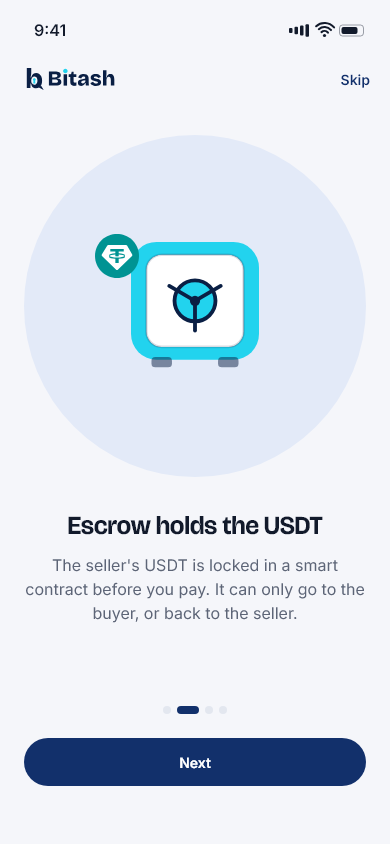
The USDT is locked before anyone pays
The seller’s USDT moves into a smart contract on TRON, not to Bitash and not to the buyer. The contract has no withdrawal path for Bitash or anyone else.
Locked before anyone pays
The buyer only pays once the trade room shows the USDT locked in the contract.
A clock on every step
Each trade has a time to pay. If it runs out unpaid, the USDT goes back to the seller.
Two ways out, and only two
The USDT can only go to the buyer, or back to the seller. There is no other path, for anyone.
Disputes decided by people
Either side can open a dispute. The USDT stays frozen while an arbitrator reads both sides and decides.
Wallet
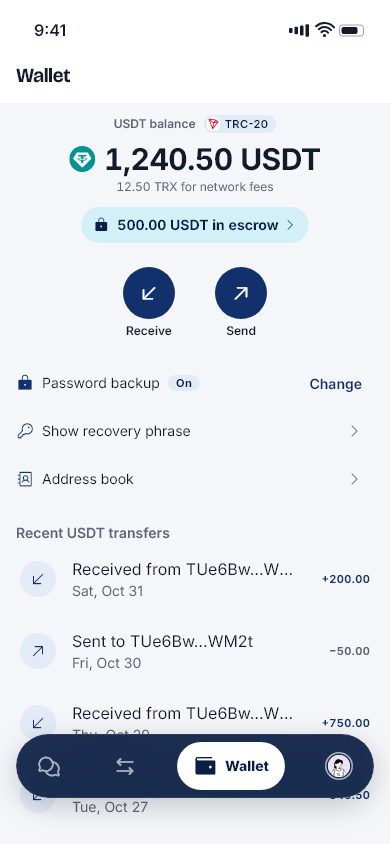
A wallet that only you control
Bitash never holds your keys. Your wallet lives on your phone, and it works with any standard TRON wallet.
Made on your phone
Your wallet and its 12-word recovery phrase are created on your phone. Only you ever see them.
Your fingerprint to send
Sending USDT and showing your recovery phrase need your fingerprint, face or PIN.
An optional sealed backup
Lock a copy of your wallet with a password only you know, so a new phone can restore it.
Network fees covered
When a trade step says so, Bitash pays its network fee. You see every fee before you confirm.
Safety
Built for trading with people
Escrow protects the USDT. These protect everything around it.
Verified traders
Everyone verifies their ID, with a document and a quick selfie, before they can trade.
Usernames only
Other traders see your @username. Never your name, and never your phone number.
Off-app deals hidden
Messages asking to trade outside the app are hidden and flagged, because those deals have no escrow.
Ratings on every trade
Both sides rate each other after a trade, so you can see who you’re dealing with.
Report and block
Reports go to a moderator. The person you report is never told who reported them.
App lock
Turn on the app lock and Bitash opens only with your fingerprint, face or PIN.
Refer and earn
Invite traders. Earn from their trades.
Share your code. When people who join with it complete trades, you earn a share of the Bitash fee on those trades, paid in USDT to your wallet.
- Your code is in the app, under Me
- Rewards add up as their trades complete
- Withdraw to your Bitash wallet
FAQ
Questions, answered
What is Bitash?
Bitash is a chat app for trading USDT between people. Traders meet in groups, agree a deal, and finish it in a private trade room where escrow protects the USDT.
Does Bitash hold my USDT?
No. Your USDT sits in your own wallet, on your phone. During a trade it is held by the escrow contract on TRON, not by Bitash, and Bitash cannot take it or move it anywhere else.
What happens if the seller doesn’t confirm?
Open a dispute in the trade room before the timer ends. The USDT stays frozen in escrow while a Bitash arbitrator reviews what both of you sent, then decides whether it goes to the buyer or back to the seller.
Which USDT does Bitash use?
USDT on the TRON network (TRC-20). Sending USDT on any other network to a Bitash wallet would lose it, so the app checks addresses before you send.
What if I lose my phone?
Install Bitash on your new phone and restore your wallet with your 12-word recovery phrase, or with your password backup if you turned it on. From your new phone you can also sign out the lost one.
Are there fees?
Any Bitash fee is shown on the trade before the USDT is locked. Sending USDT out of your wallet uses a little TRX for the network fee, and the app shows it before you send.
How do I join?
Bitash is in a closed pilot. To sign up you need an invite code from a pilot trader. The apps are coming to the App Store and Google Play.
Trade USDT with people you know.
Bitash is in a closed pilot. The apps are coming to the App Store and Google Play.